Key takeaways
- Open your best product page, right-click, view page source and search for a sentence from one of your reviews. If it's not in the source, AI crawlers that don't run JavaScript can't see it.
- Put sizing, materials, what the product is for, shipping time and return policy on the product page in plain text, not hidden behind JavaScript tabs or accordions.
- In the Shopify admin, check that a stranger could pick the right variant from variant names alone, that the product category and attributes are set, and that shipping and return policies are filled in under settings.
- Find your top three traffic sources by revenue (ChatGPT traffic is tagged and visible in GA4 acquisition reports) and build one first screen per source that keeps the promise of the ad or answer that sent the visitor.
- Calculate gross profit per visitor: last 30 days of revenue minus product cost, shipping, discounts and refunds, divided by visitors. Judge every change on that number, not on conversion rate or add-to-carts.
- Run changes as tests in Shopify Rollouts for at least two full weeks, and do the gross profit math yourself before calling a winner, because the built-in reports only show conversion rate and add-to-carts.
- Export 90 days of support tickets, return reasons and reviews, paste them into ChatGPT or Claude, and have it count the reasons people hesitate or return. Use the top reason to pick which change to start with.
Do AI shoppers matter for Shopify stores in 2027?
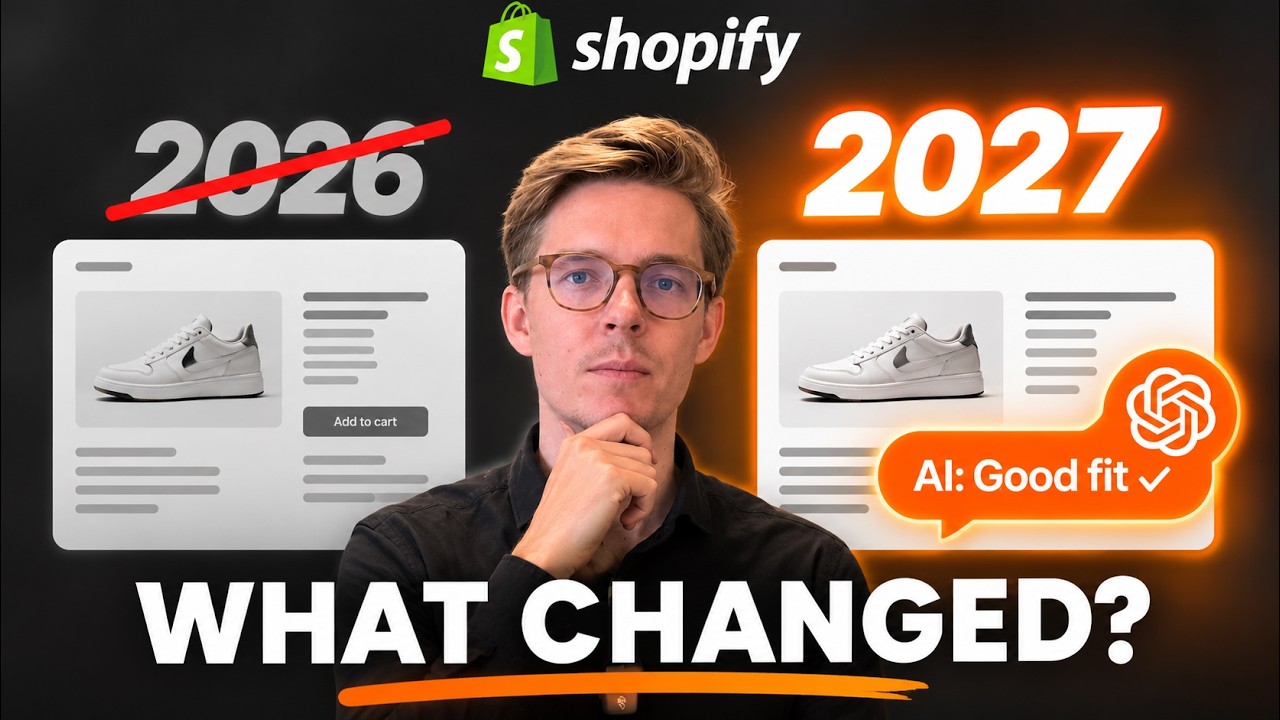
The first change starts before anyone sees your site. This year Shopify switched your products on inside ChatGPT, Microsoft Copilot and Google's AI Mode, and Shopify says orders coming from AI more than tripled compared to last year. For most stores it's still a very small slice, but it's a growing flow of new customers.
Here's what stopped working. Last year ChatGPT launched Instant Checkout, so people could buy without leaving the chat. This March, OpenAI pulled back from it. Now ChatGPT finds the products and sends the shopper to your store to buy. The AI picks you, but your store still has to convert that customer.
So you need to do two things: let the AI read your page so it can pick you, and make sure the page converts the person it sends.
How do you check if ChatGPT can read your product page?
When ChatGPT or Claude read your product page, their crawlers mostly don't run JavaScript. Most review apps load with JavaScript. So do a lot of tabs and accordions. That means your reviews, size info and shipping details can be invisible to the AI even though a human sees them fine.
- Open your best product page.
- Right-click and choose view page source.
- Search for one sentence from one of your reviews. If it's not there, the AI can't see it.
- Check that sizing, materials, what the product is for, shipping time and your return policy are on the page in plain text.
Write your page for the customer, but also for AI. That's change number one.
Can AI agents check out on Shopify, and what do they look at?
Change two goes a step further: the AI makes the purchase. In September, Shopify opened checkout to AI agents. An agent in a browser can now look at your checkout, pick the delivery option and place the order once the shopper says yes. Since Shopify's fall Edition, Shop Pay also works inside AI assistants, starting with Meta's new assistant.
How many people would actually let an AI swipe their credit card? A recent study estimated it at about 5%. Small today, but likely to grow. And it matters because an AI doesn't look at your hero section, your design or your clever titles. It reads your product data: title, variants, price, stock, shipping and return rules. If that data is messy, it skips you, or it buys the wrong size.
- Open your best seller in the Shopify admin, not the storefront page.
- Read only the data. Could a stranger pick the right variant from the variant names alone?
- Check that the product category is set, with its attributes filled in.
- Check that shipping and return policies are filled in under Shopify settings, not just written on the page.
- Place a test order on your phone and count every step that isn't paying.
“Your product data is your product page for an AI. That's the only thing they look at.”
Why should each traffic source get its own landing page?
Most visitors are still real humans, and the number of channels bringing traffic has never been higher. Most brands run 20, 50 or hundreds of ads and hooks, plus traffic from AI, Google and email. The problem: they all land on the same page.
That used to be sort of fine, but two things changed. Since Meta's Andromeda update, the creative does the targeting. An ad about comfort finds people who care about comfort. An ad about value finds bargain hunters. So your ads now bring in very different people.
The AI shopper is different again. They typed a full sentence, something like "boxer briefs that don't ride up under €50". They arrive already convinced it's a match. They don't need to be sold, they need to see the answer to their exact question, fast.
So each source gets its own first screen:
- The comfort ad lands on a fit and fabric section.
- The value ad lands on the bundle and the price per item.
- Traffic from ChatGPT lands on the proof: reviews that say it doesn't ride up, the size guide, the delivery date.
Building extra versions used to take a developer a week. With a page builder and the AI tools available now, it's an afternoon. To start, find your top three traffic sources by revenue in your analytics and check where AI traffic sits. ChatGPT adds its own tag to the links it sends, so it's easy to spot in your GA4 acquisition reports. Write down what each source promised the visitor, then make one first screen per source that keeps that promise. If people don't see what they clicked on, they bounce and your conversion rate drops.
Why measure gross profit per visitor instead of conversion rate?
Change four isn't a change on your site, it's a change in your scorecard. Most stores still judge performance on conversion rate. That was OK when margins were fat enough to hide mistakes, but in 2027 they might not be. Tariffs pushed product costs up, ads keep getting more expensive, and shipping too. The same order leaves you with less money than it did two years ago, and a change can bring in more orders and still make you poorer.
Say you run 20% off and conversions go up 20%. Looks like a win. But every order now makes less. Before, each visitor was worth $1.20 in gross profit. After, 86 cents. That's 28% less: more orders, less money.
So the number I optimize for is gross profit per visitor: what's left of each order after product costs, shipping and discounts, times your conversion rate. It's the first part of what I call the visitor P&L. It changes what wins. More people buying at a very low price can still lose, while fewer orders where customers bundle and take upsells can make a lot more profit. Judging on conversion rate alone could have led you to turn off winning tests and publish losing ones to 100% of your customers.
- Take the last 30 days of revenue.
- Subtract product cost, shipping, discounts and refunds.
- Divide by your number of visitors. That's your number.
- From now on, judge every change on it, not on conversion rate or add-to-carts.
How do you A/B test on Shopify with Rollouts?
Before, testing something on your store meant paying for an expensive A/B testing app. Now Shopify has its own tool, called Rollouts. Since spring you can test a theme against another live theme. Since June, whole themes and checkout changes. Since October, even discounts.
So in 2027 every store can test, which means the tool is no longer the edge. The edge is what you test and how you read it. And here's the catch: the built-in reports show conversion rate and add-to-carts, not gross profit. The 20% off test from change four would look like a winner there, and it isn't.
- Pick one change from the video and run it as a test, not a launch.
- Let it run at least two full weeks so you capture every day of the week twice.
- Before you call a winner, do the gross profit math yourself.
Test everything, even best practices. Don't hope and pray things will work.
Which conversion basics still work on Shopify in 2027?
Not everything has to be new. Three things have always worked and will matter even more going into 2027.
1. The delivery date right under the button. DHL asked 29,000 shoppers this year: 67% had abandoned a cart over the delivery option and 58% over returns. DHL sells delivery, so take that with a pinch of salt, but even half of it is a lot of carts. Show a date, not "2 to 5 business days", and your returns in one line. Zara and H&M charge for returns now, so if yours are free, say it.
2. Answer the doubt a photo can't. Most friction is gone, and Shopify's checkout is basically the same on every store. What's left is doubt: does it fit, is it big enough? Try-on and 3D used to be custom-built for big brands, now it's an app. Only use it where a photo can't answer the question, and let your return reasons tell you which question that is.
3. One recommendation in the cart, not eight. In a cart test we ran, we took most of the upsells, bars and boxes out of the cart, and it won. Show one recommendation that fits what's in the cart, framed as advice ("customers use this for assembly"), not "you may also like".
Which change should you make first?
If you've already tested some of these without results, you might have tested the wrong one. Let your customers tell you where to start.
- Export the last 90 days of support tickets, return reasons and reviews.
- Paste them into ChatGPT or Claude.
- Ask: sort these into the reasons people hesitate or send things back, count each one, and give me three quotes for each.
That used to take a researcher a week of reading. Now it's about 10 minutes. If the top reason is "not sure which one to get", start with change three. If it's delivery or sizing, start with change six. Whatever you change, test it like change five. This is the start of what I call the conversion autopsy: find where and why people drop off before you change anything.
Frequently asked questions
Can ChatGPT read my Shopify reviews?
Often not. ChatGPT and Claude crawlers mostly don't run JavaScript, and most review apps load with JavaScript. Open your product page, view page source and search for a sentence from a review. If it isn't in the source, the AI can't see it.
Does ChatGPT still have instant checkout for Shopify stores?
No. ChatGPT launched Instant Checkout last year, but OpenAI pulled back from it this March. ChatGPT now finds products and sends the shopper to your store to buy, so your store still has to convert them.
What is gross profit per visitor?
It's what's left of each order after product cost, shipping, discounts and refunds, divided across all your visitors. Take the last 30 days of revenue, subtract those costs and divide by visitors. I use it instead of conversion rate because a discount can raise conversions and still lower profit, like a 20% off test that took gross profit per visitor from $1.20 to 86 cents.
What is Shopify Rollouts?
Rollouts is Shopify's built-in A/B testing tool. You can test a theme against another live theme, whole themes and checkout changes, and since October even discounts. Its reports show conversion rate and add-to-carts, not gross profit, so do the gross profit math yourself before calling a winner.
How long should I run an A/B test on Shopify?
At least two full weeks, so every day of the week is included twice. Then judge the result on gross profit per visitor rather than conversion rate alone.
How do I find ChatGPT traffic in GA4?
ChatGPT adds its own tag to the links it sends to your store, so it shows up in your acquisition reports in GA4. Compare it with your other top sources by revenue and give it a first screen that answers the shopper's question fast: reviews, size guide and delivery date.
Full transcript
Show the full transcript
I've worked on over 200 different D2C Shopify brands, and the way customers find, judge, and buy from your store is drastically going to change heading into 2027. There are six changes I would make to really stay ahead of the curve. And in this video, I'll take you through every detail and exactly how you can implement AI yourself to go through these steps a lot quicker and get more results, which brings us to change number one. And it actually starts before anyone sees your site. This year, Shopify switched your products on inside ChatGPT, Microsoft Copilot, and Google's AI Mode. And Shopify says orders coming from AI more than tripled compared to last year. For most stores, this is still a very small slice, but it's definitely a growing flow of new customers.
And here's what stopped working. Last year, ChatGPT launched Instant Checkout. You could buy without ever leaving the chat. But this March, OpenAI pulled back from it. Now ChatGPT finds the products and sends the shopper to your store to buy. So the AI picks you, but your store still needs to convert the customer. So here it's important that you let AI read your page so it can pick you. When ChatGPT or Claude read your product page, their crawlers mostly don't run JavaScript. Most review apps load with JavaScript. So do a lot of tabs and accordions. So here is how to apply this right now. Open your best product page, right-click, view page source, search for one sentence from one of your reviews. If it's not there, the AI can't see it. Then check that sizing, materials, what it's for, shipping time, and your return policies are on the page in plain text. And that is change number one. Write your page for the customer, but also for AI. And the next actually goes a step further, where the AI makes a purchase for them,
which brings us to change number two. And this one is brand new. In September, Shopify opened checkout to AI agents. An agent in a browser can now look at your checkout, pick the delivery option, and place the order once the shopper says yes. And since Shopify's fall Edition, Shop Pay works inside AI assistants, starting with Meta's new assistant. Now, how many people would actually let an AI swipe their credit card for them? Now, recently a study was done and it estimated it at about 5%, a very small percentage. But it's important here because AI doesn't look at your hero section, at your design, at fancy clever titles. It observes your site very differently. And in the future, this is a lot more likely to happen at a bigger rate. It does read your product data: the title, the variants, the price, the stock, the shipping, and the return rules. If that data is messy, it skips you, or it buys the wrong size.
Here's how to apply this right now. Open your best seller in your Shopify admin, not the page, but the admin. Read only the data. Could a stranger pick the right variant from the variant names alone? Is the product category set, with its attributes filled in? Are the shipping and return policies filled in in Shopify settings, not just on the page? Then place a test order on your phone and count every step that isn't paying. And that is change number two. Your product data is your product page for an AI. That's the only thing they look at. Quickly in between, if you are running a successful Shopify brand and you do want to improve the performance of your store without spending more on ads, feel free to click the link down below in the description and you can see how we've helped more than 200 Shopify brands increase their conversion rate and generate more money without spending more on ads.
Most visitors are still real humans and not only AI. And the amount of channels bringing in traffic has never been higher than now, which brings us to change number three. Most brands run 20, 50, hundreds of different ads and hooks to get traffic from AI, from Google, email. Tons of users are coming from everywhere. But there's one big problem. They all land on the same page. That used to be sort of fine, but two things changed. Since Meta's Andromeda update, the creative does the targeting. An ad about comfort finds people who care about comfort. An ad about value finds bargain hunters. So your ads now bring in very different people.
And the AI shopper is different again. They typed a full sentence: boxer briefs that don't ride up under €50. They arrive already convinced it's a match. They don't need to be sold. They need to see your answer to their exact question, fast. So each source gets its own first screen. The comfort ad lands on a fit and fabric section. The value ad lands on the bundle and the price per item. And traffic from ChatGPT lands on the proof: the reviews that say it doesn't ride up, the size guide, the delivery date. Building extra versions used to take a developer a week. With the page builder and AI tools you have now, it's just an afternoon. Here's how to apply this right now. In your analytics, find your top three traffic sources by revenue. Check where AI traffic is. ChatGPT adds its own tag to the links it sends, so it's easy to spot in your acquisition reports in GA4. Then write down what each source promised the visitor and make one first screen per source that keeps that promise.
And that is change number three. One page for tons of different users looking for different hooks does not work anymore. You need to apply segmentation and personalization to make sure the traffic channel matches the landing page, because eventually people want to see what they clicked on. If it's different, they will bounce and your conversion rate will drop. But what's also important is how do you measure actual results? And that is the next change you should make to your store. Which brings us to change number four. And this is not a change on your site, but a change in your scorecard. Now, most stores still judge their performance based on the conversion rate, but this was OK when the margins were fat enough to hide the mistakes. But in 2027 they might not be that fat anymore. Tariffs pushed product costs up. Ads keep getting more expensive, and shipping too. So the same order leaves you with less money than it did two years ago. And a change can bring in more orders and still make you poorer.
So the question is not, did we get more orders? The question is, did we get more gross profit? Say you run 20% off, conversions go up 20%. Looks like a win, but every order now makes less. Before, each visitor was worth $1.20 in gross profit. After, 86 cents. 28% less. More orders, but less money. So the number I optimize for is gross profit per visitor: what's left of each order after the product costs, the shipping, and the discounts, times your conversion rate. It's the first part of what I call the visitor P&L. And this changes what wins. More people buying the products for a very small price can still lose, but getting fewer orders where customers are bundling and upselling can generate a lot more profit for your business. So this could have led to you turning off winning tests and actually publishing losing tests to 100% of your customers.
Here's how to apply this right now. Take the last 30 days: your revenue minus the product cost, shipping, discounts, and refunds, divided by your visitors. That's your number. And from now on, judge every change on it, not on conversion rate, not on add-to-carts. And that is change number four. Don't judge on just the conversion rate or even the average order value, but look at the gross profit per visitor or per order, which brings us to change number five. Before, if you wanted to test something on your store, you needed an expensive A/B testing app. But now Shopify has released their own A/B testing tool. Before, people would pray and hope everything would get better. Now you can actually test it for a lot cheaper.
It's called Rollouts. Since spring, you can test a theme against another live theme. And since June, whole themes and checkout changes. And since October, even discounts. So in 2027, every store can test, which means the tool is no longer the edge. The edge is two things: what you test and how you read it. And here's the catch. The built-in reports now show conversion rate and add-to-carts, not gross profit. So the discount test from change four would look like a winner there, and it isn't. Here's how to apply this right now. Pick one change from this video, run it as a test, not a launch. Let it run at least two full weeks so you get every day of the week twice. And before you call a winner, do the gross profit math yourself. I made a full video on how I run tests. I'll link it down below.
And that is change number five. Winning tests is about testing the right thing and reading the data correctly. But don't hope and pray things will work. Test everything, even best practices, which brings us to change number six. Not everything has to be new. Here are three things that always worked and will be even more and more important going into 2027. One, the delivery date right under the button. DHL asked 29,000 shoppers this year. 67% had abandoned a cart over the delivery option and 58% over returns. DHL sells delivery, so take that with a pinch of salt, but even half of it is a lot of carts. So show a date, not two to five business days, and your returns in one line.
Zara and H&M charge for returns now, so if yours are free, say it. Two, answer the doubt a photo can't. Most friction is gone. Shopify's checkout is basically the same on every single store. What's left is doubt. Does it fit? Is it big enough? Try-on and 3D used to be custom-built for big brands. Now it's an app, but only use it where a photo can't answer the question. Your return reasons tell you which question that is. One recommendation in the cart, not just eight. In a cart test we ran, we took most of the upsells, bars and boxes out of the cart, and it won. So one recommendation that fits what's in the cart, framed as advice: customers use this for assembly, not you may also like. And that is change number six, and the basics still work. Communication is king.
So six changes, and which one should you do first? If you've already tested some of these but you didn't see the results, you might have tested the wrong one. Export the last 90 days of support tickets, return reasons and reviews. Paste them into ChatGPT or Claude and ask it: sort these into the reasons people hesitate or send things back, count each one and give me three quotes for each. That used to take a researcher a week of reading. Now it's just 10 minutes. If the top reason is not sure which one to get, start with change number three. Delivery or sizing, change number six. And whatever you change, test it like change five. That's the start of what I call the conversion autopsy. Find where and why people drop off before you change anything.
If you want us to do this on your store, feel free to schedule a free CRO audit where we basically dive into all your data and we figure out why your customers are not making a purchase. And then we can help you run a full CRO program to test continuously and really take a leap forward. We've run tests across 200 different Shopify brands and we see what works and what doesn't work. You can try to figure it all out by yourself, or you click the link down below and then we'll get in contact to do the free CRO audit.